If you are holding an event and want to have it listed here, please make sure you read the information below then send your event notice using this form.
 ~ For Privacy Info
This website (and the Red Hats Victoria Facebook group) is publicly accessible so all information you send in will be visible to anyone who visits this website. It is therefore not recommended to include personal info on your event flyers/listings (You can give this to those who contact you for bookings)
- Submitting your event flyer as an image helps give a little more security for your email address.
- It is not recommended to post your home phone number or address.
- Consider using your hatter name or chapter name instead of your full name.
- Consider giving banking details only to attendees who have booked/registered rather than posting them in the event listing. (This will also help you keep track of payments better, as it will stop people paying before registering)
- If you are hosting an event in your home, you should withhold the address and give that to only attendees who have booked/registered, and only accept bookings from people you know are Hatters and can be vouched for.
Furthermore any information you record of your attendees (such as names, phone numbers, email addresses) should be used only for the event they registered for and should be kept private. It is not appropriate {nor legal} to use their email address or phone number to contact them on other matters unless you have their permission to do so.
By sending your event listing, you acknowledge that any details you have asked to be included on this website are able to be seen by the general public. You agree to assume any risk associated with publishing your event information on this website.
 ~ Format of event notices
- The most convenient way for us to add your event here is to email the event flyer (preferably as an image) you’d like the Hatters to download.
- Saving your event flyer/promo as an image is the best way for it to be shared in a way everyone can view it properly!!!! However we will not type out the information to put in the listing, so if you want additional text added to your listing, send that in the form below or an email.
- Flyers as a .doc or .docx are not recommended as these can be unreadable for some Hatters, and often any layout and fonts you use will not look the same when opened on the other person’s computer/laptop/phone. Save the document as a .pdf file or image instead to preserve the same look and make it readable.
~ Tips for Event Flyers
.
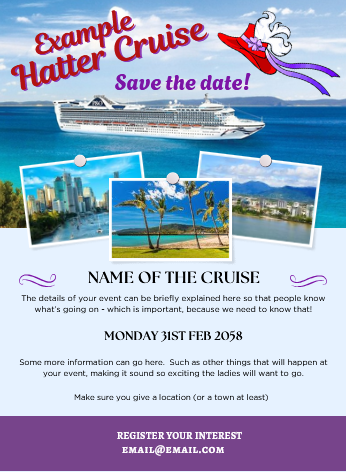 Easy & pretty way to make event flyers
The easiest way to make a great looking flyer that you can save as an image is to use Canva (which is a free online tool) – this allows you to make great looking posters and other things, using graphics and templates they provide. You can then download the creation as an image or a .pdf (or both!).
 If using Canva, do not use the same password for canva as you do for anything else. (You should never use the same password on more than one website for anything anyway!!)
Making a .doc or .pdf into an image
You can use your “PrtScn” button on your keyboard to take a screenshot of what you’ve made, then open a graphics program (eg “paint”) – choose to “paste” the image, then choose the “crop” tool and drag the edges to select only your flyer, then save that cropped version as an image.
Making an image on your laptop/PC
You can open a new blank file in a graphics program (all laptops/computers should come with a basic one, they are usually called “paint” or something similar). Then just make your event flyer in that and save it as a .png file (higher quality) or .jpg file (lower quality). If you want something fancier, you can download a free program called “Gimp” which has more options, or use Adobe Express (also free).
Making a .pdf from a .doc file
If you’ve written your event flyer in Microsoft Word, you can use Adobe Acrobat Online to convert it to a .pdf for free.
A free alternative to Microsoft Word is Libre Office which has inbuilt ability to save files as a .pdf. When using that program you can go to “File”, then select “export as” and save the document as a .pdf. Easy!!
~ For Info on maximising Exposure
Not all Victorian Hatters check this website, and not all Victorian Hatters are on our facebook group either. Therefore for maximum exposure for your event it is recommended to:
- List your event on this website (by emailing the information using the form below)
- Post your event on our facebook group. http://www.facebook.com/groups/RedHatsVictoria as an “event” so it goes into the facebook event listing. (You need to list the event yourself)
- Ask Chapter Queens you talk to in person to pass the event information on to their members.
- Don’t forget to promote your event again (via facebook) over time if you still need more bookings – to make sure those who have forgotten to book are reminded!


Click the “Submit” above to send your email.
Please note: If you are not a Red Hatter and are trying to promote your commercial event to our ladies, we will not list those here, nor will we pass your event info on to our ladies. This is for Hatters to promote their Hatting event to other Hatters.

 Red Hats Victoria